Notes on summer GPT-2 training
Overview
Over the past month or so, I’ve been doing some training of small language models. It’s been practice, focused mostly on the mechanics and learning through doing.
Starting with local
I have an older GPU, an NVIDIA GeForce RTX 3070, with about 8 GB. It’s slow but reasonable as a starting point for training smaller models.
I started with a simple program which used the Transformers and Datasets libraries from Hugging Face, and iterated into some different approaches. This is a pretty good way to learn. Specifically I pre-trained GPT-2 small models from scratch (about 124 M parameters, starting from random weight initalization).
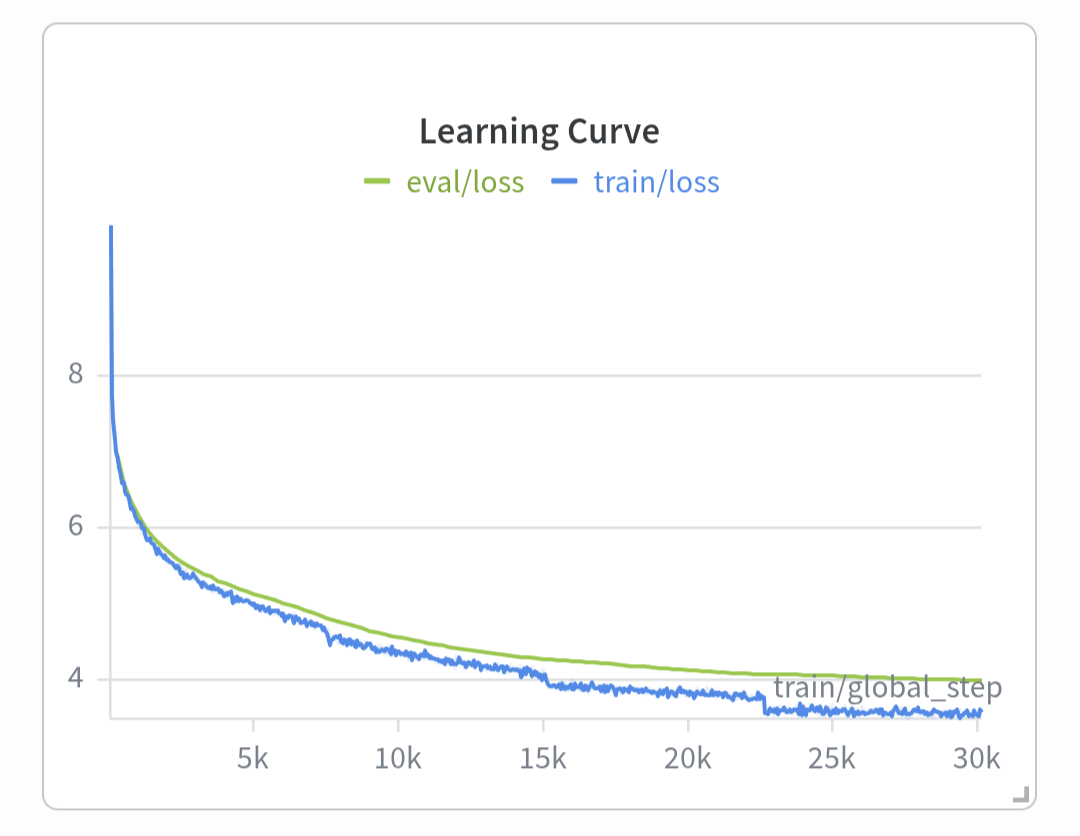
Here’s one of the first decent training runs. It took about 6.5 hours, and was 4 epochs of a 20k (doc?) subset of the Wikipedia (English) dataset.
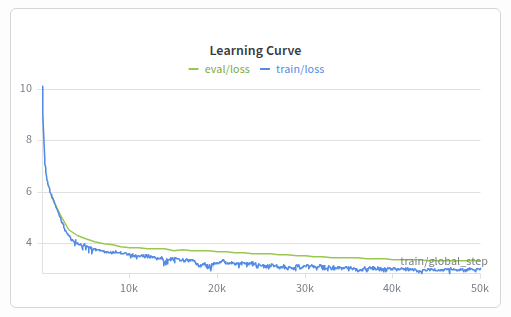
Then I switched to streaming the dataset (instead of materializing), and switched to 50k steps instead of epoch based training. This was about 1.64 B tokens. The training took about 38.5 hours.
This was all a good way to start. While I’m heading toward fine-tuning, it’s more fun to start pre-training from scratch. I’ve been learning or re-learning various lessons along the way. While there’s plenty I should circle back and review, I enjoy the hands on iteration and having early iteration loops which result in real model outcomes.
Notes on the code
After some local GPU success I wanted to revisit Google Colab and try using some of their accelerators. So at this point I started turning the code into a python library which I could easily pip install in a remote notebook.
This is definitely a personal library, but having it public makes all the packaging stuff much simpler (and free).
For everything from the initial scratch program to this library, I have leveraged AI to generate most of the code, in an iterative fashion. Currently I’m using Cursor and often using Grok 4.5 because they have a special pricing running on that model right now. It’s been pretty decent.
I think a lot about how Dr. Isbell in the Machine Learning class at Georgia Tech had a policy where he didn’t care about where the code came from and had us focus much more on the framing of the problems, the models, and the analysis. None the less, I still want to circle back on most of the code and get a better feel for everything while also doing some refactoring and adjustments to the api. It’s an interesting balance between progress and learning.
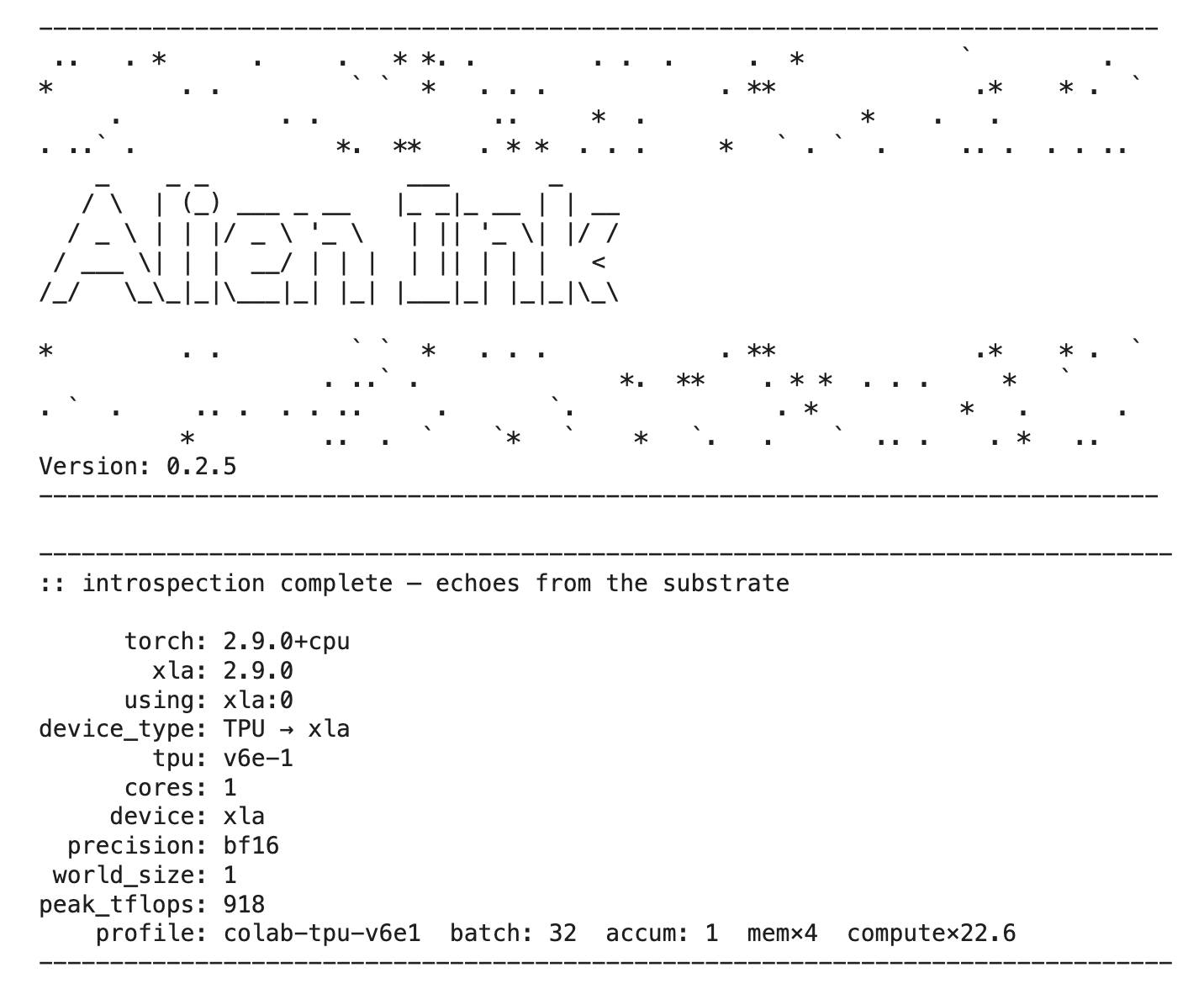
It’s quite nice having a custom library, as I can tailor things to my environments and preference. Also I can have fun outputs.
Working with Colab
With the library online I was able to get things going at Google Colab. It took some iterations, but eventually I had working training notebooks with only a couple cells and maybe 10 lines worth of code.
It’s been a while since I have used Colab seriously. I re-subscribed at the basic $10 level for 100 compute units. Through various iterations I tried out different accelerators.
One of my favorite uses of code generation is building quick utilities and references. So I had AI generate a colab accelrator reference chart with comparison to my local 3070. Here’s a snapshot:
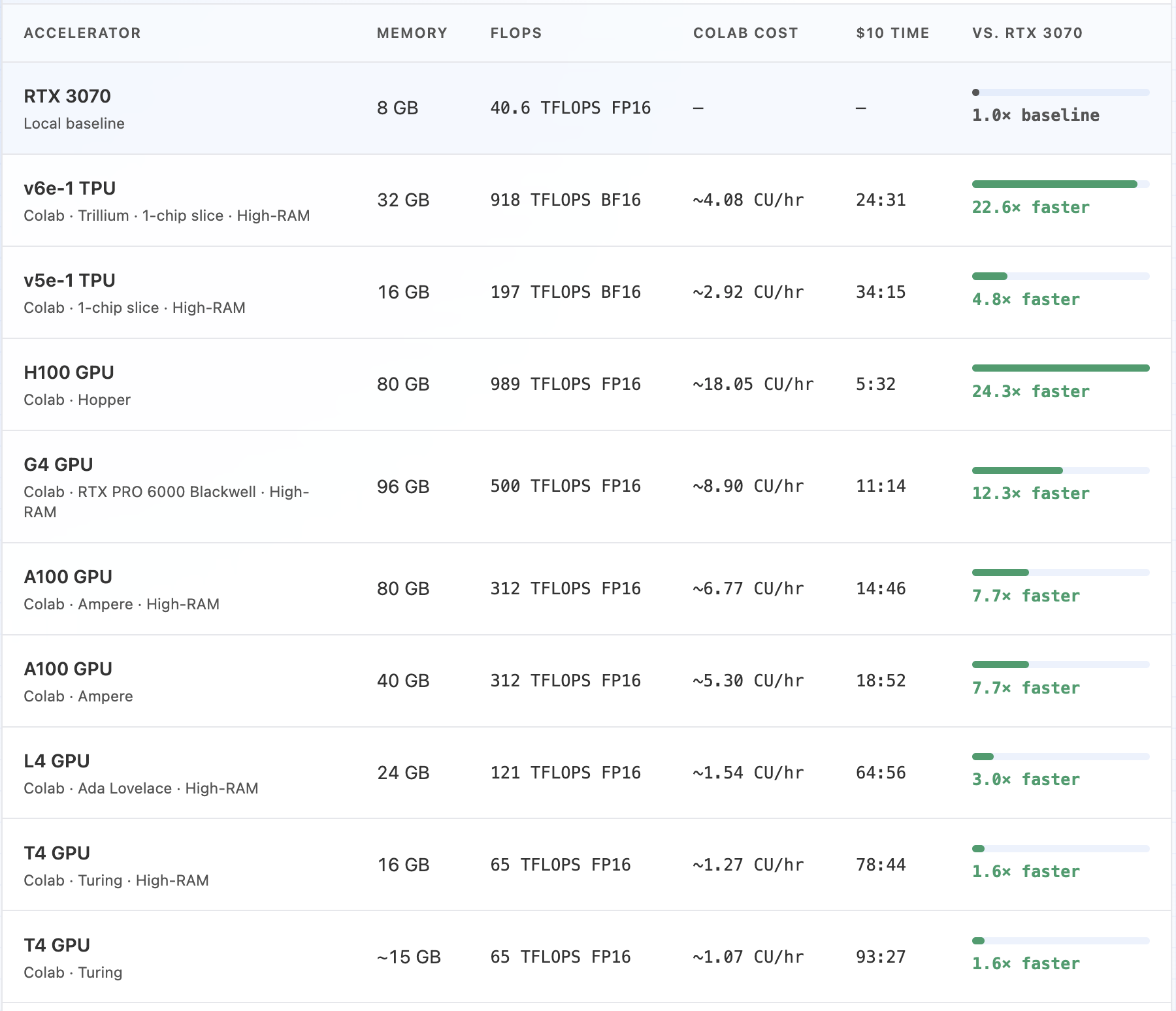
This was helpful in setting some expectations and some of the experimentation.
Overall I mostly just experimented with the accelerators and efficiency. I don’t recall that I completed many training runs, and I didn’t save any of the models. Along the way I adapted the library to support TPUs and to have hardware profile concepts for adjusting batch sizes and such.
As a side note, it’s been quite a while since I worked with TPUs. I remember trying to adapt our Tensorflow library at a past employer, and specifically trying to train Bert based models on a TPU at the Google Cloud model training service. It was definitely challenging and obscure then. It seems to be more approachable now that time has allowed open source to catch up and AI can tackle most of the tedium.
The big takeaways included:
- Only the pro+ $50 plan has background execution
- Long uninterrupted runs will be important for real training and fine tuning
- The G4 GPU is pretty great but also costly and has more VRAM than I really need
- The latest TPU v6e1 has attractive pricing vs similar GPUs
- The prices can go both up and down across months or whatever timeframe
Looking at Vast
I’ve seen Vast in the past. And I was curious to know, without lots of hands on work yet, how the pricing might compare to Colab in terms of hours of accelerator time for a given price. Since Colab requires at least the $50 / month plan to get background execution I set that as a baseline cost.
I gave AI their pricing page and my other Colab reference and had it make a comparison:
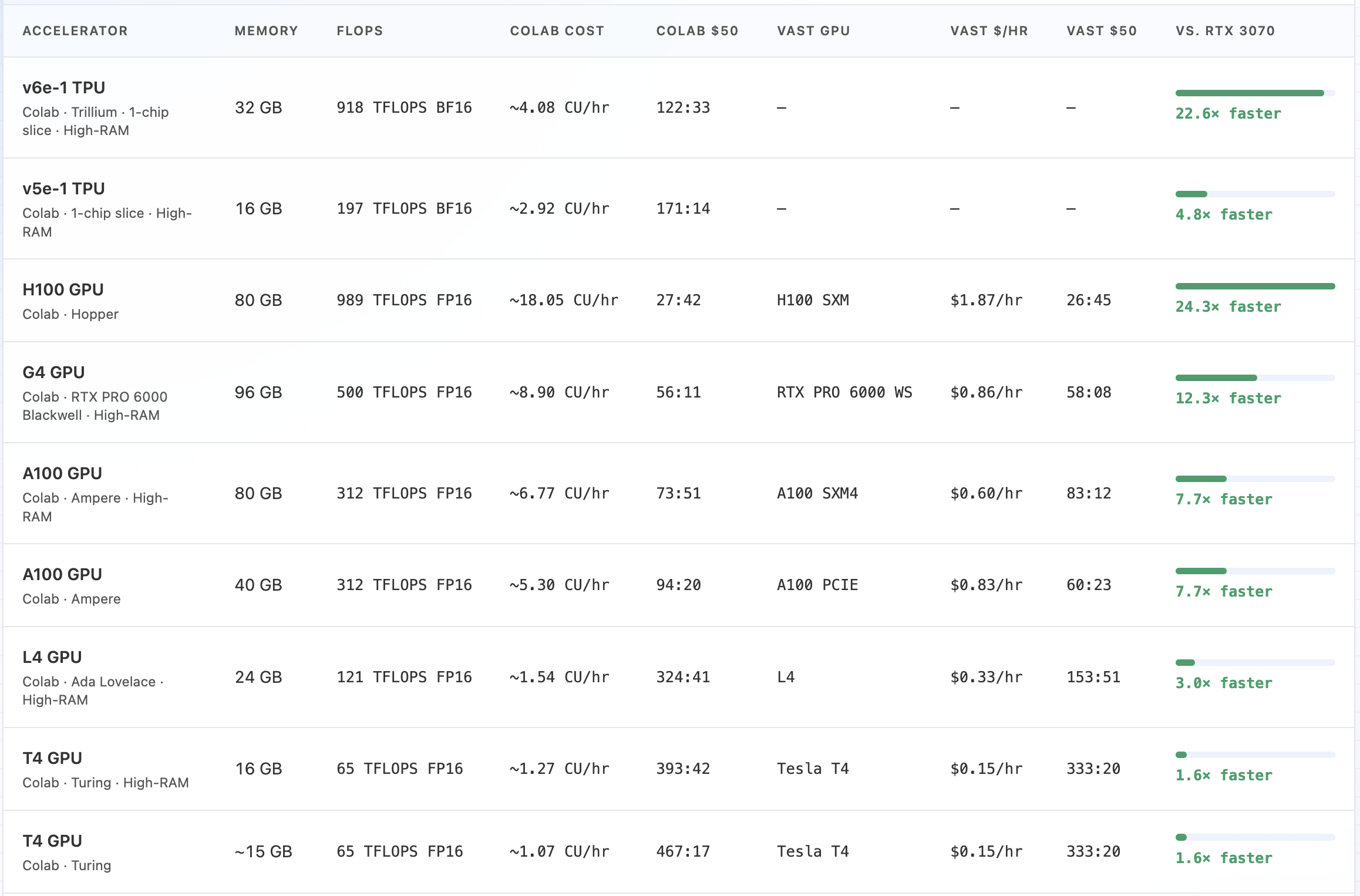
The newer, faster accelerators are pretty comparable in cost. The older, slower ones are a bit better priced through Colab.
Up next
This has been a good place to pause and review. I’m not sure exactly what will come next. I’ll need to consider focusing on local training versus more costly (but faster) training with remote accelerators. It’s probably also a good time to review some code and architecture. Also a good time to consider other model architectures as well as some initial fine-tuning ideas for my practice.